

 English


Understanding LED display refresh rate is critical, especially when screens face cameras. Getting this wrong can cost you more than the upgrade itself. Here’s the real deal: screens marketed as "3840Hz" often ship with driver chips that only sustain 1920Hz in real use. That gap shows up as scan lines the moment a client photographs the stage. This guide breaks down the technical differences, the hardware that unlocks each tier, a foolproof camera compatibility formula, and a copy-ready RFP clause to protect your project. Getting the LED display refresh rate right isn't just about specs—it's about avoiding costly, visible failures.
Quick Answer: Refresh Rate at a Glance
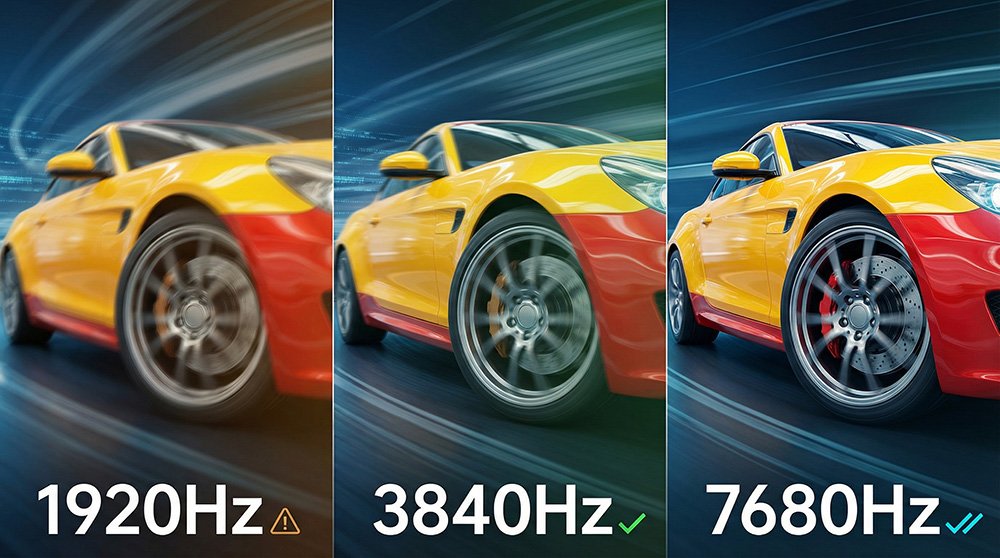
| Dimension | 1920Hz | 3840Hz | 7680Hz |
|---|---|---|---|
| Human eye flicker | ✅ Invisible | ✅ Invisible | ✅ Invisible |
| Smartphone camera | ⚠️ Scan line risk | ✅ Clean | ✅ Clean |
| DSLR at 1/2000s shutter | ❌ Bands visible | ⚠️ Marginal | ✅ Clean |
| Slow-motion 240fps | ❌ Not suitable | ⚠️ Borderline | ✅ Recommended |
| Virtual production / XR | ❌ | ❌ | ✅ Required |
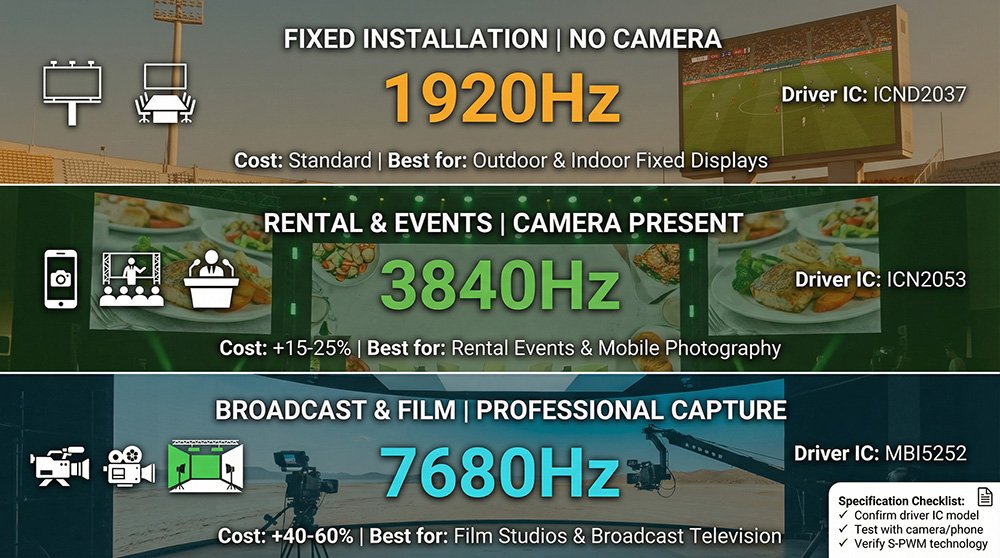
| Typical driver IC | MBI5124 / ICND2037 | ICN2053 / ICND2055B | MBI5252 / ICND3069 |
| Cost vs 1920Hz baseline | — | +15–25% | +40–60% |
| Best use case | Outdoor fixed / no camera | Mainstream rental & fixed | Broadcast / VP / XR |
One-line rule: No camera on site → 1920Hz may work. Camera present → 3840Hz minimum. Film / broadcast / virtual production → 7680Hz only.
1. What Is LED Display Refresh Rate?
Think of LED display refresh rate like a flip-book. Each page is a static image. Flip fast, the animation is smooth. Flip slow, you see jittery frames. That jitter is what a low refresh rate looks like under stress.
Technically, it's how many times per second the screen's driver circuit redraws every pixel. A 3840Hz screen "flips" 3,840 times every second; a 1920Hz screen does 1,920 times. To your eyes, both look perfectly smooth—our visual system stops seeing flicker above roughly 60Hz.
But here’s the catch cameras expose: A smartphone shooting at 1/2000s shutter captures a tiny 0.5ms slice of time. At 1920Hz, one full refresh cycle takes 0.52ms—almost exactly that shutter window. When the camera's exposure and the LED's scan cycle fall out of sync, the camera captures only a partial scan state. The result? Those dreaded horizontal scan lines in your client's event photos.
Remember this: Your eye won't see the problem. Your client's camera will—every single time.
2. Refresh Rate vs Frame Rate: Key Differences
Mixing up refresh rate and frame rate is a common—and costly—procurement mistake. They measure completely different things.
Frame rate (fps) is about the video content. It's how many unique images your video source (like a camera or media player) sends per second. Think 24fps for film, 60fps for broadcast. Refresh rate (Hz) is about the screen hardware. It's how many times the LED panel's driver circuit redraws the image per second, regardless of the content.
Here’s why it matters: A 960Hz screen playing smooth 60fps video looks fine to viewers. But point a camera with a fast shutter at it, and scan lines appear. The frame rate wasn't the issue; the LED display refresh rate was too low for the camera.
| Refresh Rate (Hz) | Frame Rate (fps) | |
|---|---|---|
| What it describes | Screen hardware capability | Video content property |
| Set by | Driver IC + scan method | Camera / video source |
| Affects camera flicker? | ✅ Yes — directly | ❌ No |
| Key question to ask | "Which driver IC is inside?" | "What is the source resolution?" |
3. What Determines Refresh Rate: ICs and Scan Methods
Two hardware factors set the ceiling for your LED display refresh rate: the driver Integrated Circuit (IC) and the scan method. You must understand both to verify a supplier's claim.
Driver ICs — The Refresh Rate Ceiling
The driver IC is the brain controlling each LED's on/off timing. It's the single biggest factor determining maximum refresh rate. The game-changer technology is S-PWM (Shifted Pulse Width Modulation). It splits a single pulse cycle into multiple sub-pulses, effectively doubling or quadrupling the perceived refresh rate without cranking up the clock speed.
No S-PWM support at the IC level? Then the panel physically cannot go past 1920Hz, no matter what the marketing says.
| Driver IC | Manufacturer | S-PWM | Max Refresh Rate | Grayscale | Typical Application |
|---|---|---|---|---|---|
| MBI5124 / 74HC595 | MBI / Generic | ❌ | ≤960Hz | 8–10 bit | Basic signage |
| SM16206 / ICND2037 | Chipone / Siming | ❌ | 1,920Hz | 12–13 bit | Standard indoor/outdoor fixed |
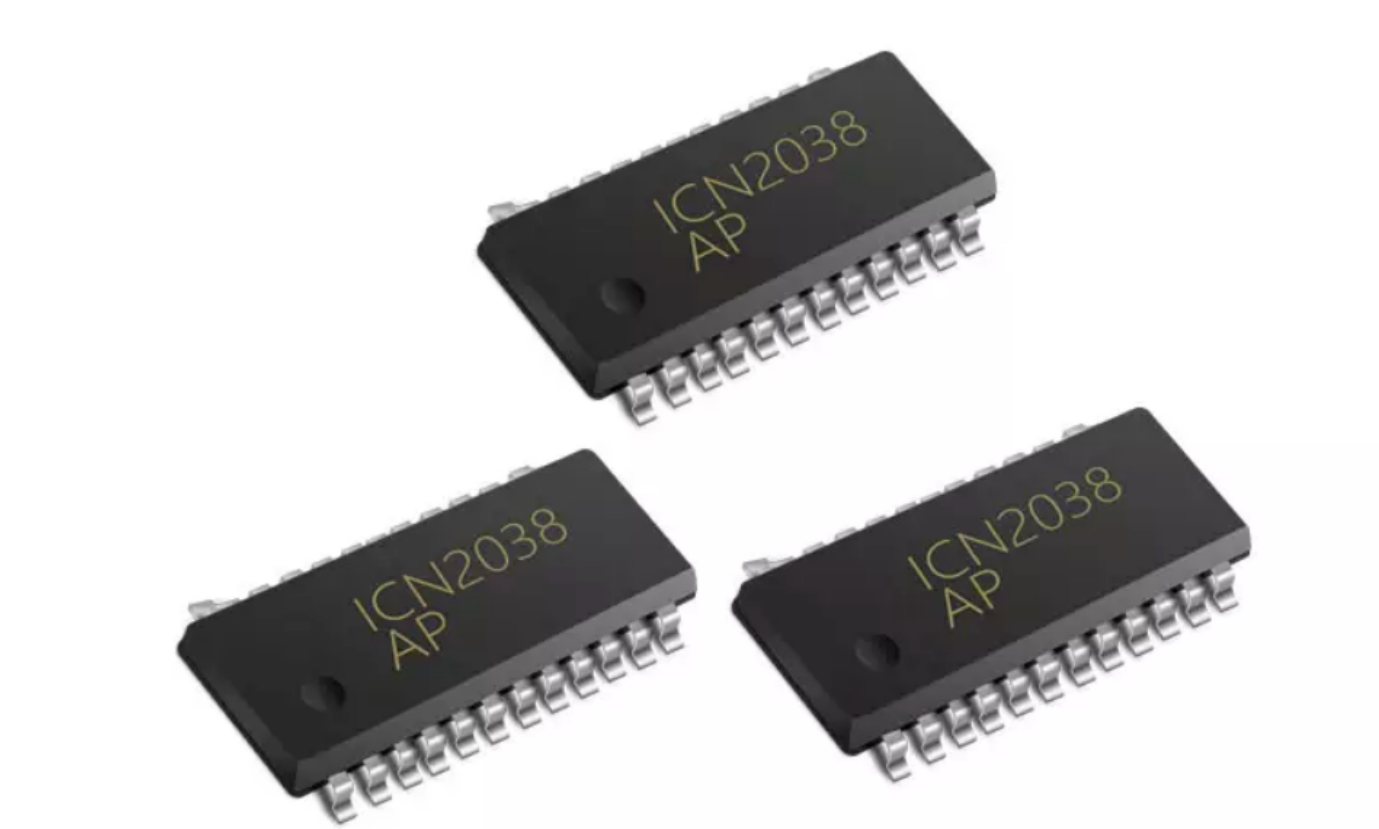
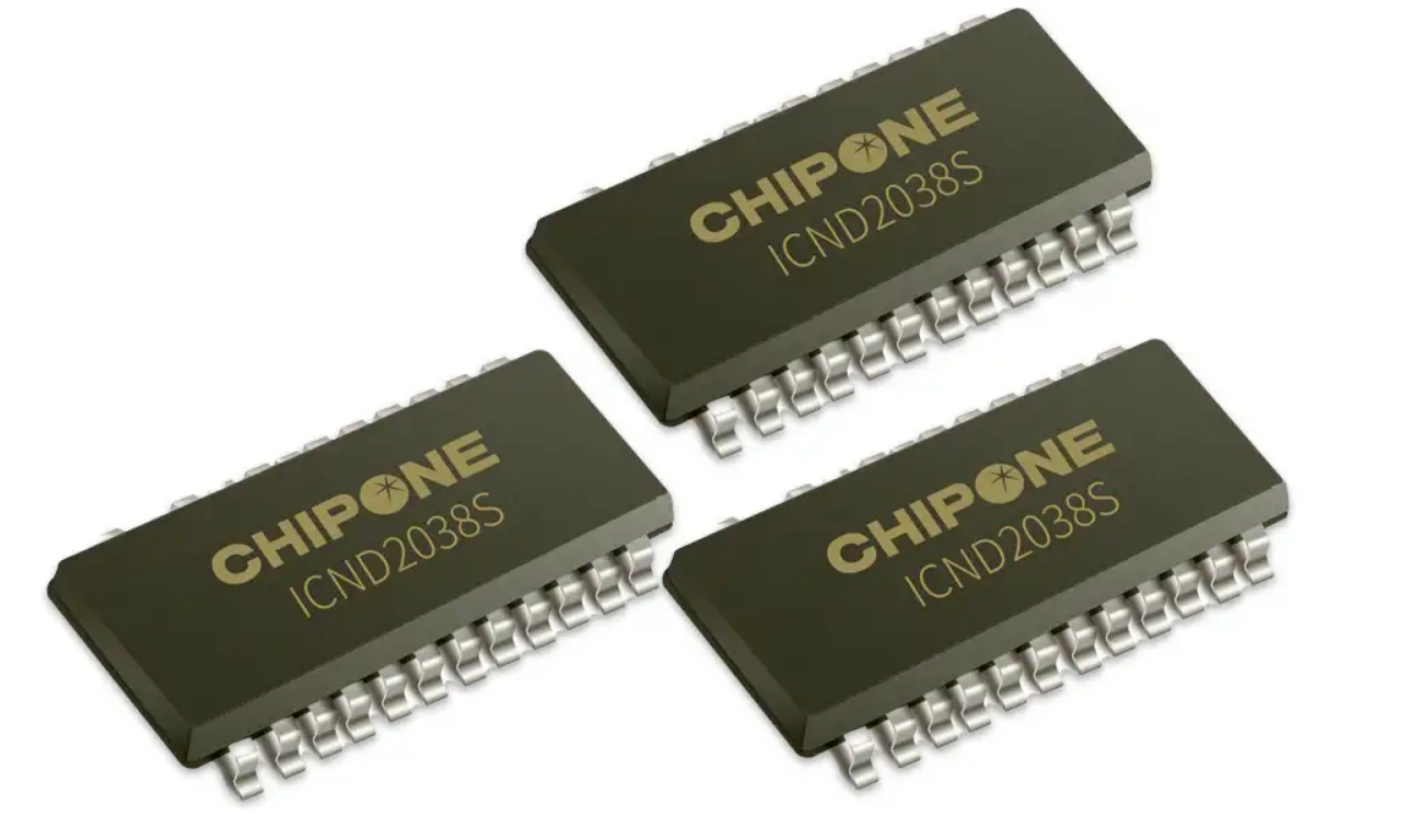
| ICN2053 / ICND2055B | Chipone | ✅ | 3,840Hz | 14–16 bit | Rental, live events, mainstream fixed |
| MBI5252 / ICND3069 | MBI / Chipone | ✅ Advanced | 7,680Hz | 16 bit | Virtual production, broadcast, XR |
⚠️ Supplier red flag: Phrases like "Dynamic refresh rate up to X Hz" mean the panel only hits that number under ideal lab conditions (like a 10% white window at low brightness). Always ask for the sustained refresh rate at full-white and rated brightness, and get the driver IC model in writing.
Scan Methods — The Hidden Multiplier
Scan method determines how the driver circuit activates groups of pixels. It's a hidden multiplier that affects the IC's workload.
Static (1/1) Scan: All pixels driven at once. Easiest path to high refresh rates. 1/N Scan (Multiplexing): The screen is divided into N groups that activate in sequence. Higher N (like 1/16) means each scan cycle must be faster, demanding more from the IC.
| Scan Method | Description | Achieves 3840Hz? | Typical Use |
|---|---|---|---|
| Static (1/1) | All pixels driven simultaneously | Easily, with mid-tier IC | Fine-pitch indoor, control rooms |
| 1/4 Scan | 4 row groups cycle | Yes, with mid-tier IC | Indoor P2.5–P4 |
| 1/8 Scan | 8 row groups cycle | Yes, with high-tier IC | Indoor/outdoor general |
| 1/16 Scan | 16 row groups cycle | Only with S-PWM IC | Large outdoor, rental |
Key takeaway: A 1/16 scan panel needs an S-PWM-capable IC to reach 3840Hz. A mid-tier IC will hard-cap it at 1920Hz.
4. Camera Shutter vs Refresh Rate Formula
Cameras see flicker because their shutter is a precise time-slicer. Rolling shutter CMOS sensors make it worse—they read rows sequentially, just like LED panels scan. When these scans clash, you get moving horizontal bands.
The safe refresh rate formula is your best friend:
Minimum safe refresh rate = (1 ÷ Shutter Speed in seconds) × 3
Example: Shutter speed is 1/2000s.
Calculation: 2000 × 3 = 6,000 Hz minimum. Action: Specify 7,680Hz for reliable, clean results.
Practical baselines:
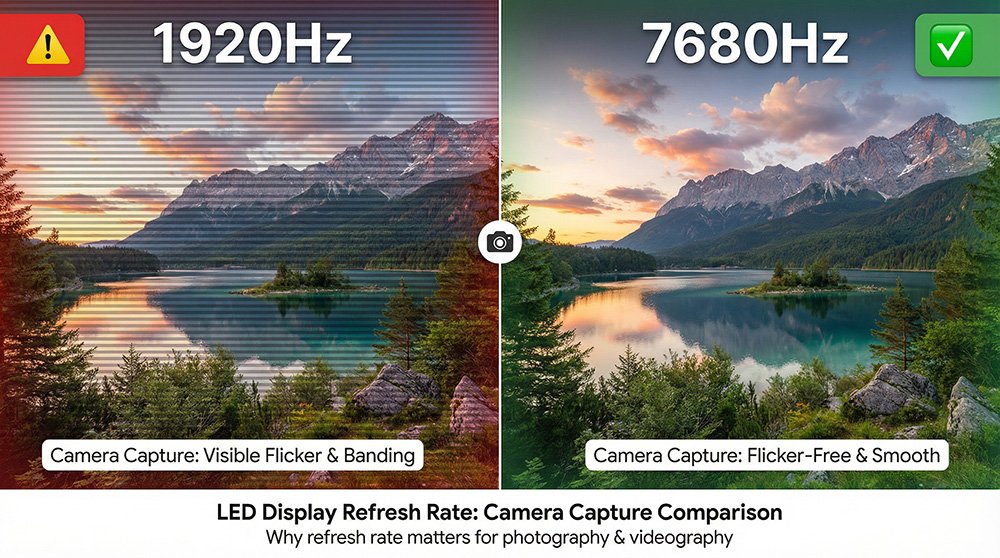
3840Hz handles a 1/500s shutter cleanly. 7680Hz handles a 1/2000s shutter reliably.
| Shooting Scenario | Typical Shutter Speed | Minimum Safe Refresh Rate | Recommended Spec |
|---|---|---|---|
| General video (30/60fps) | 1/120–1/500s | 360–1,500Hz | 1,920Hz (acceptable) |
| Smartphone standard mode | 1/500–1/1000s | 1,500–3,000Hz | 3,840Hz (required) |
| Live event broadcast | 1/1000–1/2000s | 3,000–6,000Hz | 3,840–7,680Hz |
| Sports photography | 1/2000–1/4000s | 6,000–12,000Hz | 7,680Hz (recommended) |
| Slow-motion 240fps | 1/2000–1/4000s | 6,000–12,000Hz | 7,680Hz (required) |
| Virtual production / XR | 1/1000–1/8000s | 3,000–24,000Hz | 7,680Hz (mandatory) |
5. How to Choose the Right Refresh Rate
Choosing boils down to three questions:
Will a camera (phone, DSLR, broadcast) point at this screen? What's the camera's maximum shutter speed? Is this a fixed install or a rental facing different cameras?
Don't overspend! An outdoor billboard with no camera involvement runs perfectly on 1920Hz. The extra cost for 3840Hz could be better spent on brightness or weatherproofing. But if cameras are even a possibility, spec up—outdoor installs face more opportunistic photography than you think.
| Application | Camera Present? | Recommended Hz | Driver IC | Notes |
|---|---|---|---|---|
| Outdoor billboard (fixed) | Rarely | 1,920Hz | ICND2037 | Prioritize brightness & IP rating |
| Conference room (no live stream) | No | 1,920Hz | ICND2037 | 1920Hz is fully sufficient |
| Retail / showroom indoor | Occasional phone | 3,840Hz | ICN2053 | Future-proof for social media |
| Corporate event / press conference | ✅ Yes | 3,840Hz (min) | ICN2053 | Standard rental baseline |
| 24/7 control room | Long viewing hours | 3,840Hz | ICND2055B | Reduces cumulative eye strain |
| Sports venue (broadcast) | ✅ High-speed | 3,840–7,680Hz | MBI5252 | Confirm camera shutter spec |
| Studio / livestream background | ✅ Professional | 7,680Hz | MBI5252 | Non-negotiable for broadcast |
| Virtual production LED Volume | ✅ Cinema-grade | 7,680Hz (mandatory) | MBI5252 / ICND3069 | Confirm with cinematographer |
| General rental (all-purpose) | Possible | 3,840Hz (standard) | ICN2053 | Industry standard baseline |
The 3-Tier Rule: No camera → 1920Hz. Camera on site → 3840Hz. Film / broadcast / virtual production → 7680Hz. Always confirm the driver IC and test with a phone.
6. The "Peak Refresh Rate" Trap — RFP Spec and Acceptance Test
Not all refresh rate claims are equal. There's a huge gap between peak and sustained performance.
Peak Refresh Rate: Measured in ideal lab conditions (e.g., 10% white window, low brightness, cool temperature). Sustained Refresh Rate: What the panel actually delivers during continuous full-white operation at rated brightness after thermal stabilization.
The gap can be over 50%. Don't get fooled.
Three ways to catch it before delivery:
Phone Slow-Motion Test: Set any smartphone to 240fps, record a full-white screen for 5 seconds, play back at 0.25× speed. Visible horizontal lines? The claimed LED display refresh rate isn't being sustained. Demand the IC Model in Writing: Cross-check it against the driver IC table. No S-PWM support means a 1920Hz ceiling. Request Full Test Methodology: A credible supplier will provide the test pattern, brightness level, ambient temperature, and measurement tool details.
⚠️ Watch your language: Be wary of terms like "Dynamic refresh rate up to X Hz." The words "dynamic" and "up to" often signal a peak, non-sustained figure. Always specify the static, full-white, sustained refresh rate.
Copy-Ready RFP Language
"Refresh rate shall be ≥ [X] Hz under sustained full-white test pattern at rated operating brightness and ambient temperature. Measurement method: video recorded at [camera model] with shutter speed set to 1/[Y]s, played back at 0.25× speed on a calibrated monitor. No visible horizontal scan lines, flicker bands, or brightness non-uniformity shall be present across the full panel area. Driver IC model, S-PWM capability, scan method, and firmware version shall be declared in writing at time of quotation and confirmed in delivery documentation."
On-Site Acceptance — 5 Steps
Set the screen to a 100% full-white test pattern at its rated brightness. Allow a 30-minute thermal warm-up under normal operating conditions. Record 5 seconds of slow-motion video (240fps) directly facing the screen using a smartphone. Replay at 0.25× speed—inspect the entire panel for any horizontal banding or rolling dark lines. Repeat with a DSLR at the shutter speed specified in your RFP; examine the static frame at 100% zoom.
If the panel fails, do not accept it without:
A factory test report detailing the measurement method, test pattern, brightness, and temperature. Written confirmation of the driver IC model and batch number. S-PWM firmware version and enable/disable status.
Specifying LED display refresh rate correctly with a defined test is the only way to ensure the number on the datasheet matches what gets installed on your wall.
Frequently Asked Questions
Q: How do I verify LED display refresh rate on site? Record 5 seconds of a full-white screen in 240fps slow-motion on any smartphone. Play it back at 0.25× speed. Visible horizontal scan lines mean the refresh rate is insufficient for camera use. No fancy gear needed.
Q: How does scan method affect LED display refresh rate? Scan method dictates how fast the driver IC must work. A 1/16 scan panel requires an S-PWM-capable IC to hit 3840Hz. The same panel with a mid-tier IC is physically capped at 1920Hz.
Q: What LED display refresh rate do I need for an LED video wall? For any wall that might face a camera, 3840Hz is the absolute minimum. For virtual production, broadcast, or slow-motion filming, you must specify 7680Hz—and confirm the driver IC supports it sustainably.
Q: Which driver IC supports 7680Hz LED display refresh rate? Current mainstream ICs rated for 7680Hz are MBI5252 (Macroblock), ICND3069 (Chipone), and SUM2016B (Xinke Jinpeng). All require advanced S-PWM. Get the IC model in writing before you sign the purchase order.
Q: Why do two "3840Hz" panels sometimes look different on camera? The headline number doesn't tell the whole story. Differences in scan method, S-PWM implementation depth, IC grade, and peak vs. sustained rating cause this. That's why verifying the driver IC and doing a phone test are non-negotiable.
Q: Why does refresh rate matter more for cameras than human eyes? Our eyes fuse flicker above ~60Hz into a continuous image. Camera shutters are precise time-slicers. A 1/2000s shutter captures a 0.5ms window. If that's shorter than one LED refresh cycle (0.52ms at 1920Hz), the camera catches a partial scan state—creating scan lines your eyes never see but photos always reveal.