

 English


LED screen refresh rate is the number of times per second your display redraws its image. It's arguably the most overlooked specification when you're buying an LED screen. Get it wrong, and you risk a screen that looks terrible on camera or strains the eyes of people sitting close.
This LED screen refresh rate directly determines if your installation is usable for live broadcast, camera filming, and long-term viewing comfort. Specify it incorrectly, and you could face rolling scan lines on video, eye fatigue for viewers, or even a costly full-module replacement down the line.
This guide breaks down the real-world differences between 1920Hz, 3840Hz, and 7680Hz. We'll give you a clear camera shutter compatibility chart and a procurement pitfall checklist you won't find anywhere else.
What Is LED Screen Refresh Rate?
Think of refresh rate as the display's heartbeat. It measures how many times per second your LED screen or video wall completely redraws its image. We express this in Hertz (Hz).
A 3840Hz screen completes 3,840 full redraws every single second. Each cycle is incredibly fast, lasting just 0.26 milliseconds.
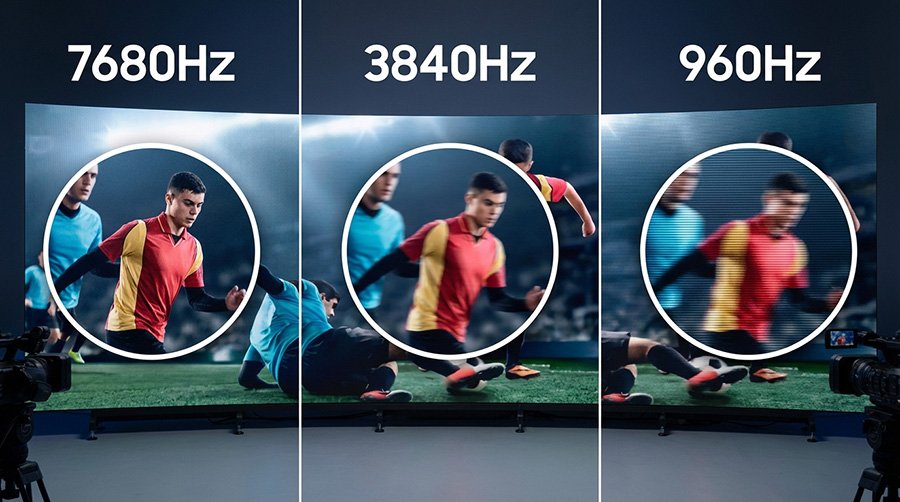
Here's the key takeaway: above 1,000Hz, the human eye can't see the individual refreshes. Go above 3,000Hz, and even professional camera lenses struggle to capture any flicker or banding.
Refresh Rate vs. Frame Rate: Clearing the Confusion
This is a crucial distinction. Don't mix them up.
Frame Rate (FPS) is about your content. It's how many images your video source sends each second (like 24fps for movies or 60fps for sports). Refresh Rate (Hz) is a fixed hardware property of the LED screen itself. It's how fast the physical display can update.
Let's make it simple. Playing a 24fps movie on a 3840Hz screen means each film frame gets redrawn 160 times before the next one arrives. This creates rock-solid stability.
If refresh rate is below the frame rate, you get screen tearing and stuttering. If refresh rate is above the frame rate (which it should be), each frame gets drawn multiple times. This gives you that smooth, stable output we all want.
The Hardware Behind Your LED Screen Refresh Rate
You can't just "set" the refresh rate in software. It's permanently baked in by four hardware factors at the module level. Understanding this protects you from misleading "fake high refresh" claims.
Driver IC: The Primary Determinant
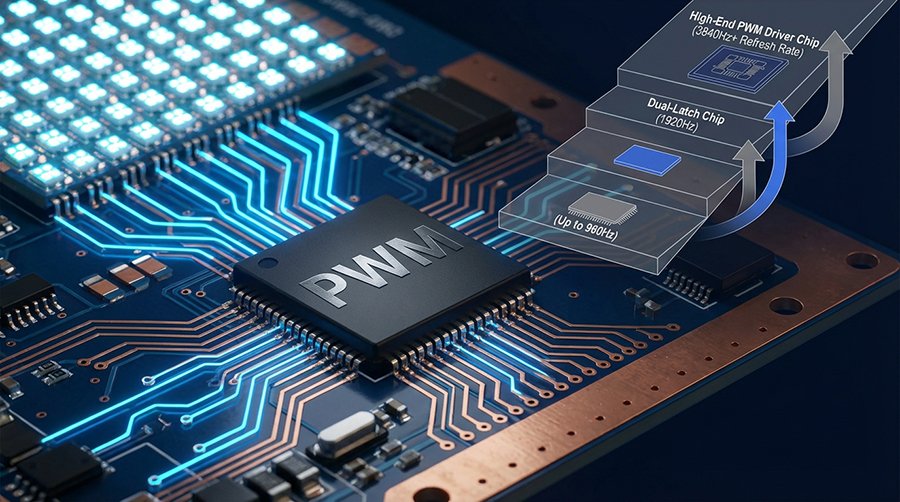
The driver IC is the brain that controls each LED's on/off switching speed. Its quality is the single biggest cost factor between different refresh rate tiers.
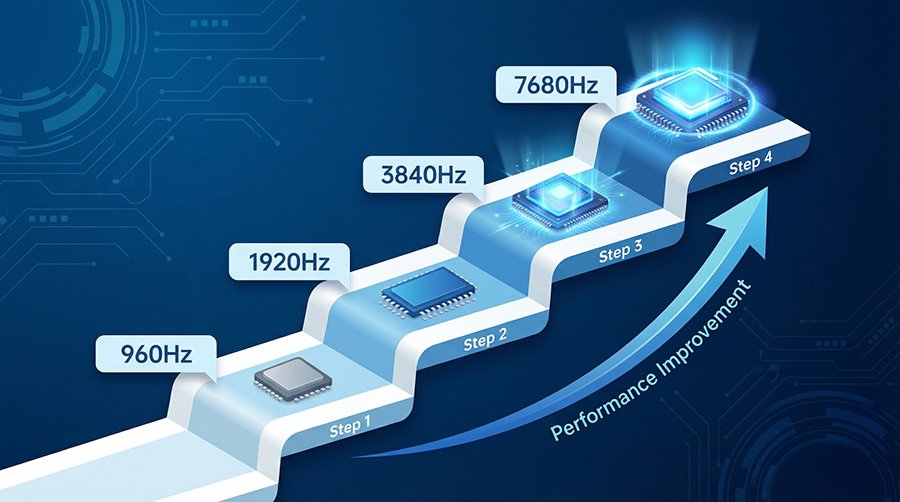
| IC Grade | Max Refresh Rate | Common Models | Best For |
|---|---|---|---|
| Standard IC | Up to 960Hz | SM16207 variants | Outdoor ads, basic signage |
| Dual-latch IC | Up to 1920Hz | MBI5124, ICN2038S | Indoor commercial displays |
| High-end PWM IC | 3840Hz – 7680Hz | MBI5153, ICN2053 | Broadcast, events, XR studios |
| PWM-SS (adaptive) | 3840Hz+ | SM16380SF equivalents | High-end venues with energy targets |
Scan Mode, PWM Dimming & Signal Chain
Scan mode is critical. It defines how many LED rows light up per refresh cycle (shown as 1/N). A 1/4 scan module allows higher refresh rates but needs about 4 times more ICs. A 1/16 scan is cheaper but often can't truly hit 3840Hz. Always check the scan mode and IC model together.
PWM dimming controls brightness by switching LEDs on/off rapidly. At 7680Hz, things get tight. Each frame lasts only 130 microseconds. Without high 16-bit PWM resolution and special low-gray compensation, you'll see grayscale collapse. This looks like banding or loss of shadow detail.
Signal chain bottlenecks are a common trap. A module rated for 7680Hz will be held back by a slow control card or video processor. You must verify the entire chain—module, receiving card, cables, and processor (like Novastar)—is rated for your target refresh rate.
LED Screen Refresh Rate Comparison: 1920Hz vs 3840Hz vs 7680Hz
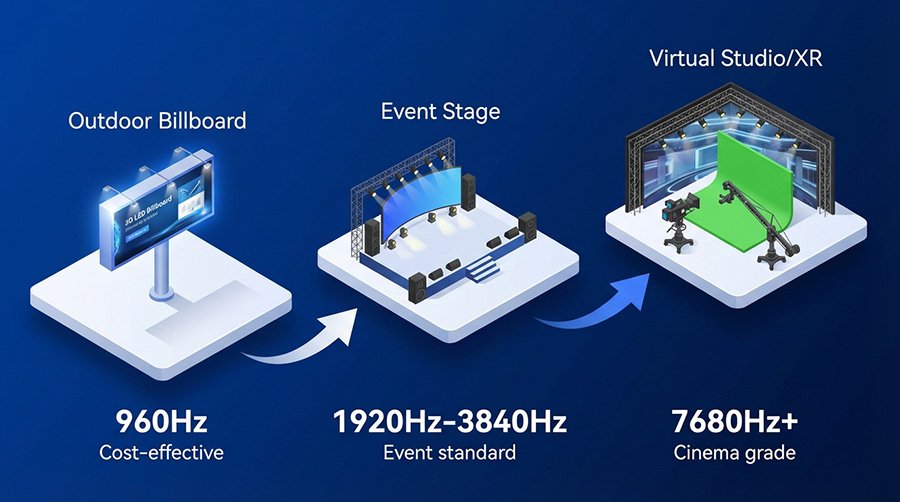
Match your refresh rate to the most demanding use case your screen will face. You can't upgrade it later. A church screen needs 3840Hz year-round because you can't retrofit it on the day of a big broadcast.
| Spec | 1920Hz | 3840Hz | 7680Hz |
|---|---|---|---|
| Visual Smoothness | ★★☆ Good | ★★★ Excellent | ★★★ Perfect |
| Naked-Eye Flicker | Detectable in bright light | ✓ Flicker-free | ✓ Flicker-free |
| Camera at 1/250s Shutter | ⚠️ Rolling lines likely | ✓ Clean output | ✓ Clean output |
| Slow-motion (120fps+) | ✗ Not suitable | ⚠️ Up to ~120fps | ✓ 240fps+ ready |
| Grayscale Stability | Standard | Needs quality IC | Needs 16-bit PWM IC |
| Relative Module Cost | Baseline | +15%–25% | +35%–60% |
| Power vs. 1920Hz | Baseline | ~+20–30% | ~+40–50% |
| Best Use Case | Outdoor billboards, basic retail | Events, churches, exhibitions | XR studios, broadcast TV |
Here's the rule: 3840Hz is now the global baseline for any screen that will be filmed or viewed up close. Only step up to 7680Hz for professional broadcast studios, XR stages, or esports arenas using super slow-motion cameras.
LED Screen Refresh Rate for Cameras: Shutter Speed Compatibility Guide
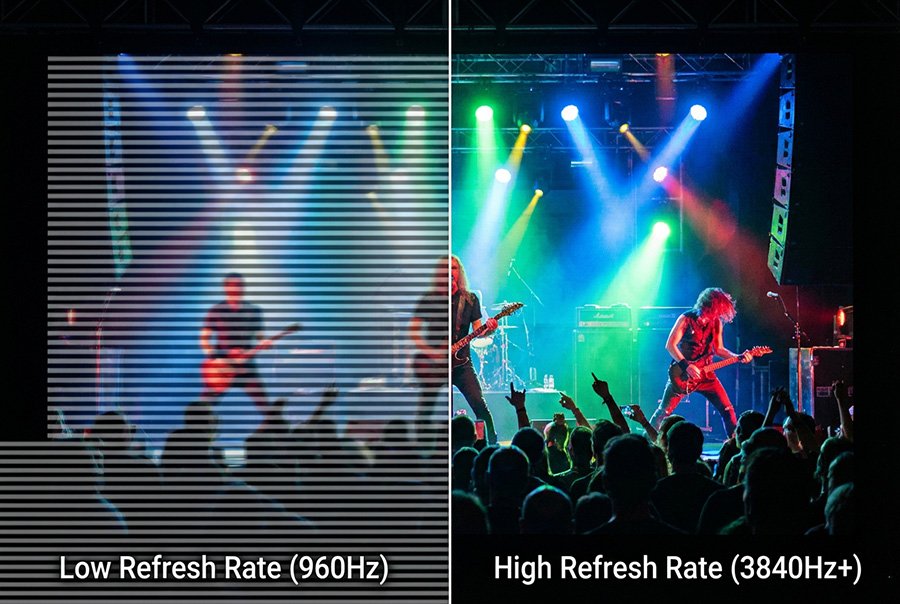
If a camera will point at your LED screen, this is the most important section. A mismatch between refresh rate and shutter speed creates rolling scan lines. These cannot be fixed in post-production.
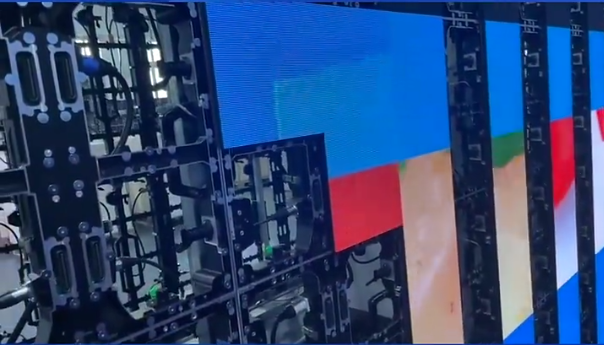
Why rolling lines happen: Camera sensors read the image from top to bottom. If the LED screen refreshes in the middle of this readout, the camera captures two different partial frames. This shows up as a dark, scrolling band.
A 1920Hz screen refreshes every 0.52ms. A camera at 1/250s shutter (4ms exposure) will capture about 7.7 refresh cycles during its shot—a messy, incomplete number that causes banding. A 3840Hz screen (0.26ms per refresh) gives the same camera about 15.4 cycles, smoothing everything out.
| Camera Shutter | Typical Device | Minimum Hz | Recommended Hz |
|---|---|---|---|
| 1/30s – 1/60s | Smartphone (auto) | 960Hz | 1920Hz |
| 1/100s – 1/125s | Broadcast / ENG camera | 1920Hz | 3840Hz |
| 1/250s – 1/500s | Sports / event camera | 3840Hz | 3840Hz–7680Hz |
| 1/1000s+ | Cinema (RED, ARRI) | 7680Hz | 7680Hz |
| 120fps+ slow-mo | Phantom, Sony FX/RX | 7680Hz | 7680Hz+ |
Remember this: Specifying 3840Hz as your default for any venue with cameras eliminates rolling-line issues in 95% of real-world filming scenarios.
Scene-by-Scene LED Refresh Rate Selection Guide
Choose based on your most demanding use case. If you're using a fine pixel pitch (like P1.5 or smaller), the stakes are even higher—low refresh rate artifacts become more visible.
| Use Case | Recommended Refresh Rate | Primary Reason |
|---|---|---|
| ? Conference room / showroom | 3840Hz | Close viewing distance, eye comfort, occasional photography. |
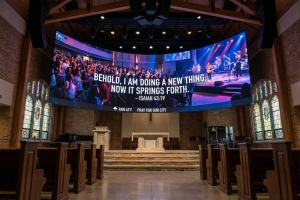
| ⛪ Church / house of worship | 3840Hz | Weekly live streaming; professional ENG cameras are often present. |
| ? Concert / stage rental | 3840Hz–7680Hz | High-speed motion and multi-camera broadcast demands. |
| ? Sports arena | 3840Hz | The minimum standard for broadcast TV coverage. |
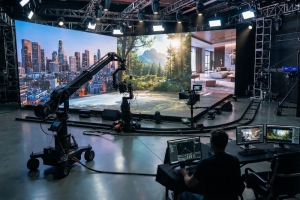
| ? XR / virtual production | 7680Hz | Zero tolerance for artifacts with cinema cameras. |
| ? Outdoor billboard / DOOH | 1920Hz | Viewed from a distance; no need to sync with cameras. |
| ? Retail / shopping mall | 1920Hz–3840Hz | Upgrade to 3840Hz if live events or filming are planned. |
| ? Broadcast studio / TV backdrop | 7680Hz | Complies with strict SMPTE broadcast standards. |
On a tight budget? Focus your 3840Hz upgrade on the driver IC and control card first. These give you the biggest bang for your buck. Sometimes, just swapping the control card in a 1920Hz system can boost it to ~2880Hz as a stopgap.
4 LED Procurement Pitfalls to Avoid
Pitfall 1: Chasing the Highest Hz Number
Don't over-spec. A 3840Hz billboard viewed from 30+ meters away offers zero visible benefit over a 1920Hz one. But it will add 15–25% to your module cost and about 30% to your power bill. Let your actual use case dictate the spec.
Pitfall 2: Accepting "Fake High Refresh"
Some suppliers use tricks to make a 1920Hz IC read as 2880Hz. This often compromises grayscale depth and shadow detail. The screen will still show rolling lines on camera.
✅ Your verification protocol:
Ask for the driver IC model number. Confirm the scan mode. Request a video of the screen shot at 1/500s shutter speed. Rolling lines don't lie.
Pitfall 3: Ignoring the Full Signal Chain
A 3840Hz module is useless if your sending card only outputs 1920Hz. Confirm every single component—module, control cards, cables, processor—is rated for your target refresh rate.
Pitfall 4: Overlooking Thermal Management
This is a big one. High-refresh-rate ICs switch faster and generate more heat. Poor thermal design leads to early IC failure, dead pixels, and a shorter screen life. For 7680Hz installations, especially outdoors, double-check heatsink specs and cooling solutions before you sign off.
FAQ
Q1: How do I verify a supplier's claimed LED screen refresh rate?
Film the powered screen with a camera set to 1/500s shutter speed or faster. Rolling lines will be immediately obvious if the rate is fake. For contracts, request third-party test reports from SGS or TÜV.
Q2: How does scan mode affect refresh rate?
Scan mode sets how many rows the IC activates per cycle. A 1/4 scan allows a higher max refresh rate but needs ~4x more ICs. A 1/16 scan is cheaper but often caps the refresh rate below 1920Hz, making it unsuitable for broadcast.
Q3: What refresh rate do I need for slow-motion video?
You need at least 3840Hz for 120fps slow-mo. For 240fps and above (like Phantom cameras), you must specify 7680Hz. At this speed, each frame lasts 130 microseconds, keeping perfect alignment with the high-speed shutter.
Q4: Which refresh rate is best for a church LED wall?
3840Hz is the minimum for any church that does live streaming. Standard broadcast cameras will produce visible scan lines on a 1920Hz screen. 3840Hz eliminates this completely and is now the global default for worship AV.
Q5: Why does a higher refresh rate increase cost and power?
It demands premium driver ICs, lower scan ratios (more ICs per module), and higher-bandwidth control cards. Going from 1920Hz to 3840Hz adds 15–25% to module cost and ~20–30% to power use. Jumping to 7680Hz adds 35–60% to cost and ~40–50% to power.
Q6: Does high refresh rate affect LED grayscale or brightness?
Yes, it can. At 7680Hz, the very short frame window can limit brightness control precision. Without 16-bit PWM resolution and good low-gray compensation, you might see banding and lose up to 15% brightness at low gray levels. Always check the IC's grayscale specs alongside the refresh rate.