

 English


As the core venue for knowledge transfer and skill development, corporate training rooms have increasingly demanding requirements for display systems. The limitations of traditional projectors in terms of brightness, clarity, and service life have prompted more and more enterprises to choose LED displays. This article provides a complete solution from needs analysis, system design, and equipment selection to system integration, helping procurement decision-makers make informed choices.
1. Needs Analysis: Defining Core Requirements
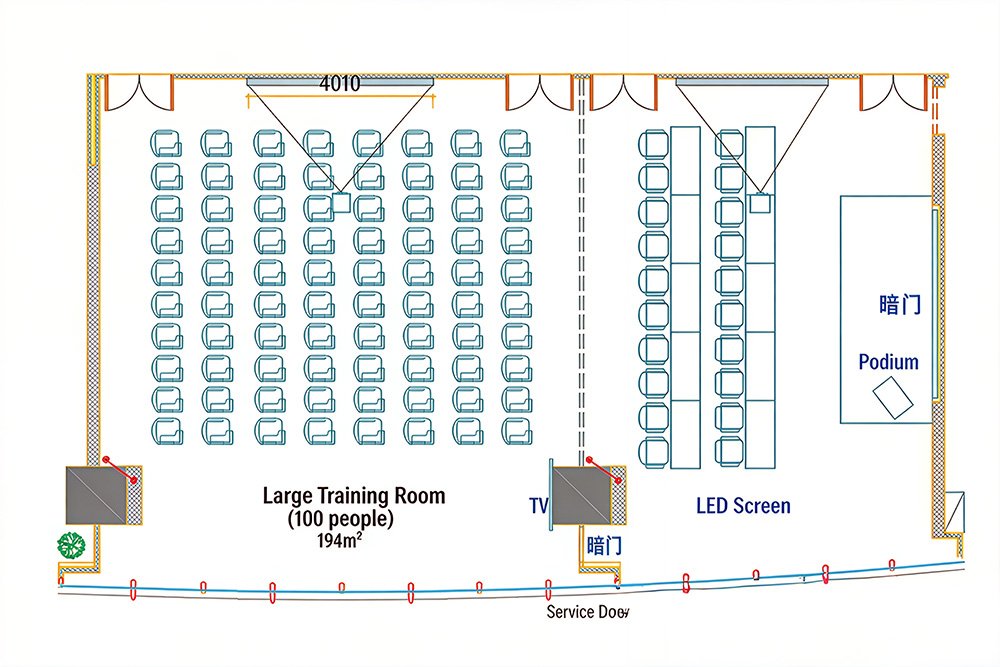
1.1 Key Parameters for Site Survey
Space Parameters
- Training room dimensions (Length × Width × Height)
- Installation wall dimensions and load-bearing capacity
- Minimum and maximum viewing distances
- Seating layout
Usage Requirements
- Daily training (PowerPoint presentations, documents)
- Remote video conferencing (multi-screen display)
- Live streaming and recording (high refresh rate)
- Multimedia courseware playback
Participant Scale & Viewing Distance
- Small (10-30 people): 3-6 meters
- Medium (30-80 people): 6-10 meters
- Large (80-200 people): 10-18 meters
1.2 Technical Requirements Matrix
| Requirement Category | Key Indicator | Recommended Standard |
|---|---|---|
| Resolution | Based on viewing distance | 2K minimum (2560×1440+) |
| Brightness | Environment adaptation | Indoor 600-800cd/㎡, with natural light 1000-1200cd/㎡ |
| Refresh Rate | Photography/videography | Standard ≥1920Hz, Live streaming ≥3840Hz |
| Color Gamut | Color reproduction | ≥NTSC 36% |
1.3 Budget Framework
| Scale | Display Area | Recommended Config | Budget Range (USD) |
|---|---|---|---|
| Basic | 8-12㎡ | P2.5-P3 | $17,000-$25,000 |
| Standard | 12-18㎡ | P2-P2.5 | $25,000-$39,000 |
| Premium | 18-25㎡ | P1.5-P2 | $39,000-$63,000 |
2. System Design Principles
2.1 Five Core Principles
- Requirement-Driven: Avoid over-configuration
- High Integration: Unified platform management
- Practical & Advanced Balance: Reserve for 3-5 years expansion
- Safety & Stability: N+1 redundancy design
- User-Friendly & Maintainable: Simplified operation workflow
2.2 System Architecture
A complete LED display system includes:
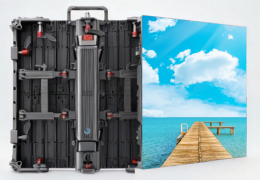
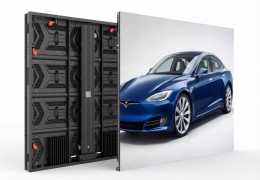
- Display Subsystem: LED screen body, cooling system
- Control Subsystem: Video controller, control software
- Signal Subsystem: Signal sources, transmission cables
- Power Distribution Subsystem: Intelligent power cabinet, surge protection
- Support Subsystem: Steel structure, mounting brackets
3. LED Display Selection Strategy
3.1 Pixel Pitch Selection Rule
Core Formula: Optimal Viewing Distance (meters) = Pixel Pitch (mm) × 3
| Pixel Pitch | Viewing Distance | Application Scenario | Cost-Effectiveness |
|---|---|---|---|
| P1.25-P1.5 | 3.5-4.5 meters | Small premium conference rooms | ★★★☆☆ |
| P1.8-P2 | 5-6 meters | Small-medium training rooms | ★★★★☆ |
| P2.5-P2.9 | 7-9 meters | Standard training rooms | ★★★★★ |
| P3-P3.9 | 9-12 meters | Large training rooms | ★★★★☆ |
Selection Guidelines:
- Within 6 meters: P1.8-P2.5
- 6-10 meters: P2.5-P3 (optimal cost-effectiveness)
- 10-15 meters: P3-P3.9
3.2 Size & Resolution Calculation
Calculation Formula:
Horizontal Pixels = Screen Width (mm) ÷ Pixel Pitch (mm)
Vertical Pixels = Screen Height (mm) ÷ Pixel Pitch (mm)
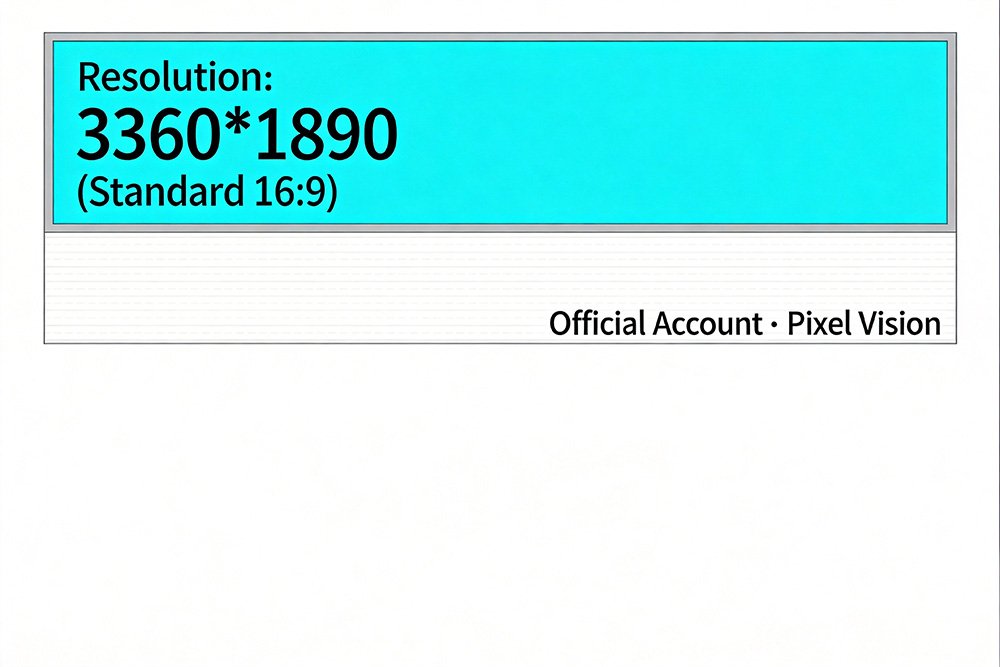
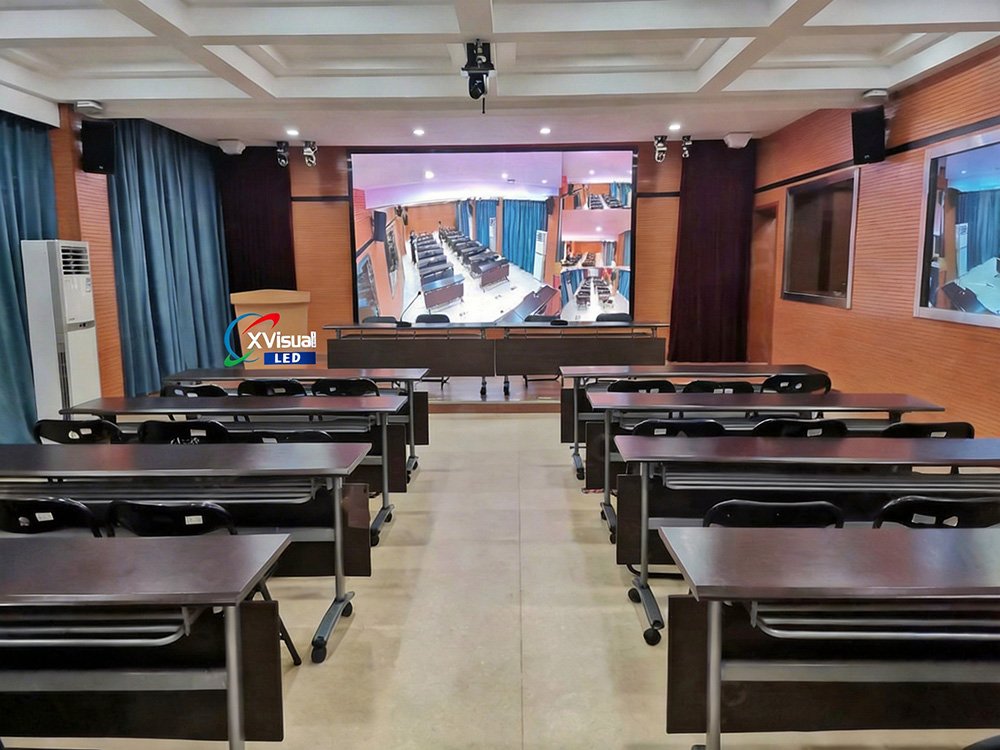
Case Study: Training room 18m×8.8m×3.5m, viewing distance 4-16 meters
Recommended Solution:
- Screen: 4.2m (width) × 2.36m (height)
- Pixel Pitch: P1.25
- Resolution: 3360×1890 pixels
- Mounting Height: 1.05 meters from floor
3.3 Key Technical Parameters
Display Performance
- Brightness: ≥600cd/㎡, 65536-level adjustment
- Color Gamut: ≥NTSC 36%
- Gray Scale: 16-bit (65536 levels)
- Contrast Ratio: ≥5000:1
- Refresh Rate: ≥3840Hz
- Viewing Angle: ≥170°
- Lifespan: ≥100,000 hours
Technology Choice: COB vs SMD
| Comparison Item | COB (Chip on Board) | SMD (Surface Mount) |
|---|---|---|
| Protection Rating | IP5X | IP3X |
| Contrast Ratio | Higher | Standard |
| Cost | 30-50% higher | Baseline |
| Application | Premium projects | Mainstream applications |
4. Multi-Screen Display Solutions
4.1 Common Display Modes
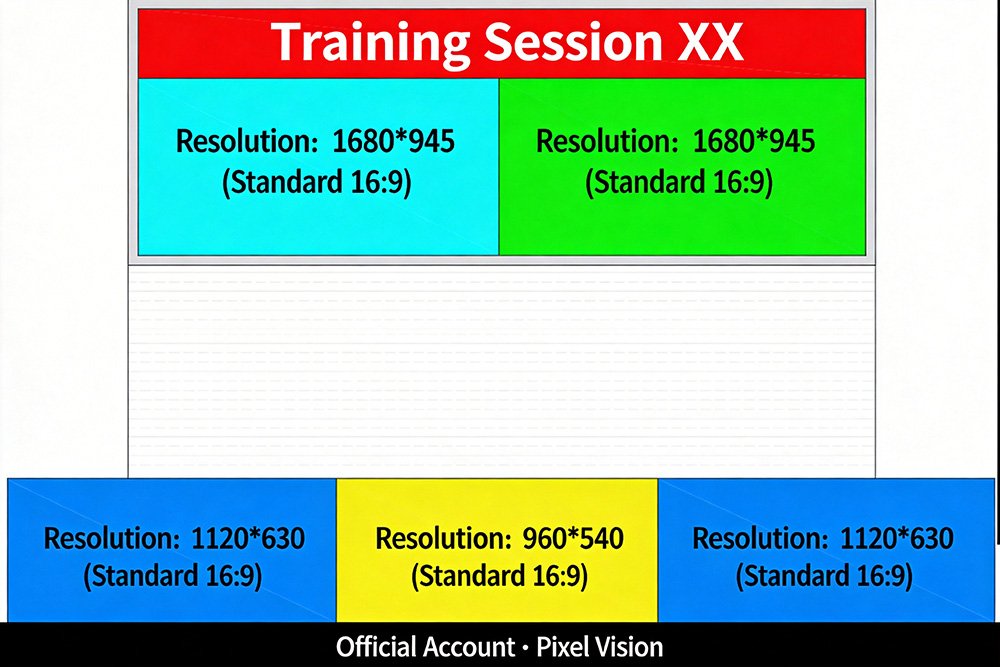
Full-Screen Mode: 3360×1890 (16:9), for PowerPoint and video playback
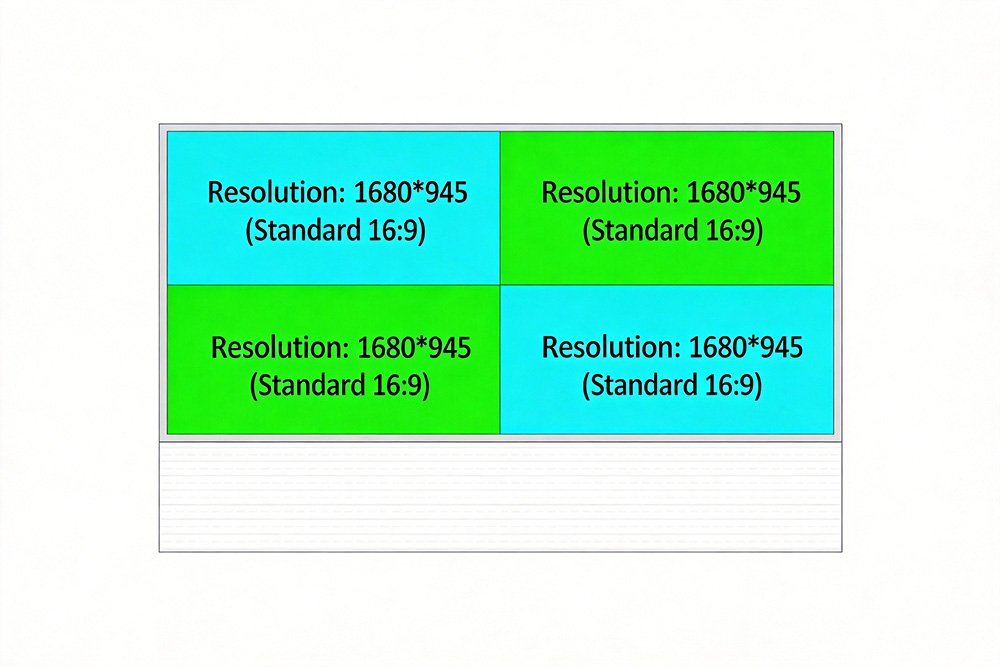
Quad-Split: 4 windows at 1680×945, for multi-site remote training
Combination Mode:
- Top ticker (3360×315)
- Middle 2 HD windows (1680×945)
- Bottom 3 SD windows (1120×630)
Nine-Grid: 9 windows at 1120×630, for multi-department interaction
5. System Integration Solution
5.1 System Topology
Signal Sources → Video Controller → LED Display
       ↓                ↓                 ↓
Multi-Input     Smart Processing    HD Display
       ↓                ↓                 ↓
PC/Conference  Split/Splice     Real-time Monitoring
5.2 Video Controller Configuration
Core Specifications
- Input: ≥1× HDMI 2.0 (4K) + 8× HDMI 1.4
- Output: ≥20× Ethernet ports
- Architecture: FPGA hardware-based
- Features: Multi-window, Picture-in-Picture, signal cropping
5.3 Intelligent Control Software
Key Functions
- Multimedia editing and layout
- 20 gamma curve adjustments
- Multi-level permission management
- Scheduled on/off
- Adaptive brightness adjustment
- Temperature monitoring and alerts
- Remote diagnostics and maintenance
5.4 Power Distribution System
Specifications
- Input: AC 380V, three-phase five-wire
- Power: 10KW intelligent distribution
- Protection: Surge, overload, grounding
Smart Features
- Sequential delayed startup
- Remote on/off control
- Circuit status monitoring
- Smoke detector interlock shutdown
6. Installation & Implementation
6.1 Ergonomic Design
Viewing Angle Optimization
- Screen center height: Seated eye level (1.2m) + 0.5-0.8m
- Comfortable vertical angle: 3°-30°
- Horizontal angle: 17°-53° for full visibility
Distance Verification
- First row: ≥Pixel Pitch × 1000
- Last row: ≤Screen Height × 15
6.2 Construction Workflow
- Preparation (1-2 days): Site verification, power installation, steel structure mounting
- Screen Installation (2-3 days): Cabinet assembly, cable connection, edge finishing
- System Commissioning (1-2 days): Parameter setup, color calibration, signal integration
- Acceptance & Training (1 day): Function demonstration, operation training, documentation handover
7. Acceptance Standards
7.1 Hardware Acceptance
Precision Requirements
- Dimension tolerance: ≤±10mm
- Seam gap: ≤0.5mm
- Flatness: ≤1mm within 2 meters
- Dead pixel rate: ≤0.03%
Display Testing
- Uniform solid colors without color shift
- Smooth 256-level grayscale transition
- Brightness uniformity ≥99%
7.2 Performance Acceptance
Function Testing
- No horizontal lines in smartphone photos (refresh rate compliance)
- All signal sources switch normally
- Smooth multi-screen mode transitions
- Normal remote control response
- 8-hour continuous operation without failure
8. Operation & Maintenance
8.1 Maintenance Schedule
Daily (5 minutes)
- Check display upon startup
- Confirm no abnormal sounds or odors
Weekly (15 minutes)
- Wipe screen with soft cloth
- Check cable connections
Monthly (30 minutes)
- Play test patterns to check color accuracy
- Update software versions
Semi-Annual
- Professional dust removal
- Comprehensive hardware inspection
- Brightness and color recalibration
8.2 Troubleshooting Quick Reference
| Symptom | Possible Cause | Solution |
|---|---|---|
| Black screen | Power/signal interruption | Check power cabinet, video cables |
| Distorted display | Receiving card failure | Restart controller, replace receiving card |
| Partial blackout | Module failure | Replace faulty module |
| Color abnormality | Parameter error | Restore default settings |
Emergency Response: 2-hour phone support, 4-hour remote diagnosis, 24-hour on-site service
9. Cost-Benefit Analysis
9.1 LED vs Projector Comparison
| Comparison Item | LED Display | Laser Projector |
|---|---|---|
| Initial Investment | $35,000 | $11,000-$17,000 |
| 5-Year Maintenance | $1,400-$2,800 | $8,400-$12,600 |
| 5-Year Total Cost | $39,000-$42,000 | $24,000-$34,000 |
| Service Life | 11 years | 3-4 years |
| Environmental Requirements | No restrictions | Requires blackout |
Conclusion: LED has higher initial investment but comparable long-term TCO, with far superior user experience and lifespan.
9.2 Value Returns
Tangible Benefits
- 60% reduction in annual maintenance costs
- Extended replacement cycle to 8-11 years
- 80% reduction in failure rates
Intangible Benefits
- 15-25% improvement in training effectiveness
- Enhanced brand image
- All-day operation without blackout requirements
- Multi-purpose integration
10. Procurement Pitfall Guide
10.1 Supplier Evaluation
Assessment Points
- 3+ years industry experience, 50+ case studies
- ISO9001, CE certifications
- Local service team
- 2-year warranty + local spare parts inventory
10.2 Critical Contract Clauses
Must Specify
- Physical resolution (e.g., 3360×1890)
- Actual display area
- Key parameters (pixel pitch, brightness, refresh rate)
- Total turnkey price (including installation and training)
- Warranty period
- Acceptance criteria
- Payment milestones (recommended: 30%-40%-30%)
Common Traps
- ❌ "4K Support" ≠ Screen Resolution 4K
- ❌ Quoting only screen price, hiding system costs
- ❌ Inflated specifications
- ❌ Low-bid with subsequent add-ons
10.3 Acceptance Delivery Checklist
Documentation
- Product certificates and test reports
- Installation drawings
- Operation manual (English)
- Maintenance guide
- Spare parts list and pricing
Knowledge Transfer
- Daily operation training (≥2 sessions)
- Troubleshooting training
- Software usage training
11. Future Upgrade Pathways
11.1 Reserved Expansion
- Additional signal input interfaces
- Side screen expansion interfaces
- Central control system integration
- AI function integration interfaces
11.2 Intelligent Development Direction
Near-term (1-2 years)
- Full wireless screen mirroring coverage
- Mobile APP control
- Meeting reservation integration
Mid-term (3-5 years)
- AI content optimization
- Virtual studio integration
- 5G remote interaction
Conclusion
The success of corporate training room LED display solutions requires systematic thinking and professional execution. This guide covers the entire lifecycle from technical selection, system design, installation and commissioning, to operation and maintenance, aiming to help enterprises:
- Clarify Requirements: Avoid configuration mismatches
- Scientific Selection: Achieve optimal cost-effectiveness
- System Integration: Ensure stability and reliability
- Long-term Protection: Safeguard investment value
Key Decision Recommendations:
- Select pixel pitch based on viewing distance (Formula: Distance = Pitch × 3)
- For 6-10 meters, choose P2.5-P3 (optimal cost-effectiveness)
- Refresh rate ≥3840Hz (supports photography and videography)
- Require all-inclusive pricing and clear warranty terms
- Conduct on-site inspection of supplier case studies
Choosing the right LED display is not merely an equipment procurement, but a strategic investment in enhancing training quality and strengthening brand image.