


 English


Complete Guide to LED Display Resolution: From HD to 4K Selection Strategy
When purchasing LED displays, do you find yourself confused: Should I choose 1080p, 2K, or 4K? Is the supplier's "4K-capable" claim actually true 4K? Why do prices vary so dramatically?
Over 60% of enterprises overspend by 30-50% on LED display procurement—they purchased "4K HD screens" that actually deliver only 2K resolution, or spent $120,000 on 4K screens for 12-meter viewing distances where a $50,000 2K screen would perform identically. LED display resolution isn't a fixed parameter; it's calculated from screen dimensions and pixel pitch (P value): the same 10-meter-wide screen achieves 2K with P2.5 but only 1080p with P3.9, yet costs differ by 42%.
This guide will teach you:
- How to quickly calculate an LED screen's true resolution (3 formulas solve everything)
- How to select the most cost-effective configuration based on viewing distance (avoid wasting 60% of budget)
- How to identify 3 common supplier traps ("fake 4K," hidden costs, false specifications)
- Complete acceptance checklist (5-step method ensures qualified products)
Target audience: Corporate procurement managers, administrative departments, venue managers, integrators—whether you're purchasing your first LED display or upgrading existing equipment, this guide helps you save money, avoid pitfalls, and buy the right product.
Quick Comparison: HD vs 2K vs 4K Core Parameters
| Dimension | 1080p (Full HD) | 2K (QHD) | 4K (UHD) |
|---|---|---|---|
| Resolution | 1920×1080 | 2560×1440 | 3840×2160 |
| Total Pixels | 2.07M | 3.68M | 8.29M |
| Recommended Pitch | P3-P4.8 | P2.5-P3.9 | P1.5-P2.5 |
| Optimal Viewing Distance | 9-15m | 7-12m | 4-8m |
| Cost Index (10m×5.6m) | $38-48K (1.0×) | $53-68K (1.4-1.6×) | $95-135K (2.5-3.5×) |
| Suitable Scenarios | Auditoriums, stages, outdoor events, budget projects | Conference rooms, showrooms, command centers (Best ROI) | Premium showrooms, virtual production, close viewing |
| Recommendation Rating | ★★★☆☆ | ★★★★★ | ★★★☆☆ |
Core conclusions:
- Viewing distance >12m: 1080p sufficient, 4K wastes budget
- Viewing distance 6-12m: 2K is the sweet spot (optimal for 80% of projects)
- Viewing distance <6m: 4K worth the investment
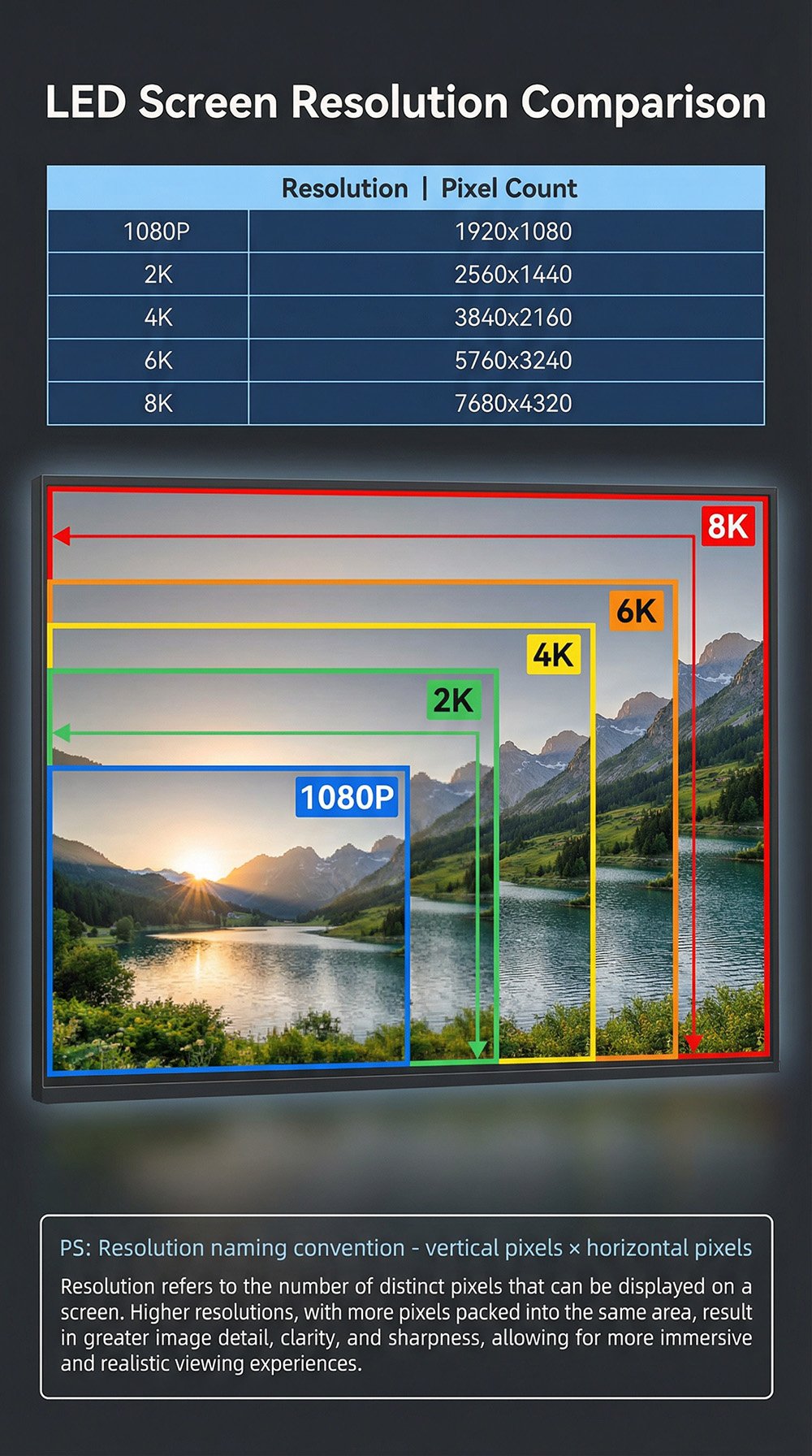 Part 1: LED Screen Resolution Basics (Completely Different from TVs)
LED Screen Resolution is "Calculated," Not "Purchased"
Traditional TVs or monitors have fixed resolutions—a 55-inch 4K TV is always 3840×2160 pixels. LED displays work completely differently: screens labeled "4K" can actually range from 2K to 8K in true resolution.
Core calculation formula:
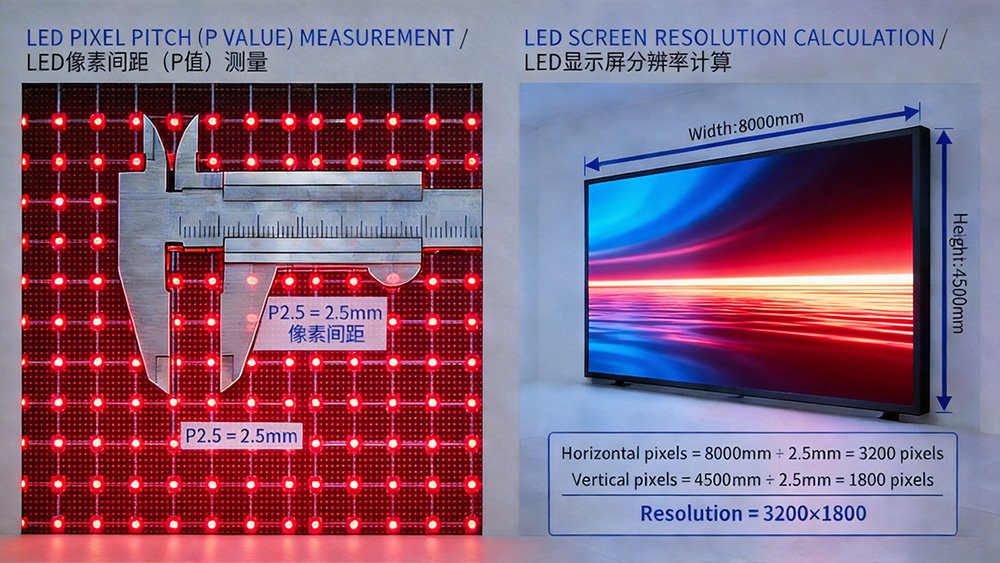
Horizontal pixels = Screen width (mm) ÷ Pixel pitch P value (mm)
Vertical pixels = Screen height (mm) ÷ Pixel pitch P value (mm)
Exposing a "Fake 4K" case:
A supplier's claimed "4K LED screen":
- Configuration: 10m×5.6m, P4.8
- Actual calculation: 10,000÷4.8=2083 pixels, 5,600÷4.8=1167 pixels
- True resolution: 2083×1167 (only 2.43M pixels, far below 4K's 8.29M pixels)
Genuine 4K configuration:
- Configuration: 10m×5.6m, P1.8
- Actual calculation: 10,000÷1.8=5555 pixels, 5,600÷1.8=3111 pixels
- True resolution: 5555×3111 (exceeds 4K standard)
- Cost difference: 222% more expensive than P4.8
Pixel Pitch (P Value): The Key Determinant of Resolution
What is P value?
The distance between center points of two adjacent LED beads (unit: millimeters).
| P Value Range | Clarity | Cost | Typical Application |
|---|---|---|---|
| P0.9-P1.5 | Extreme | Very High | Small meeting rooms, premium showrooms |
| P1.8-P2.5 | Very High | High | Medium meeting rooms, corporate lobbies |
| P2.9-P3.9 | High | Medium | Mainstream indoor applications (80% market) |
| P4-P5 | Medium | Moderate | Large indoor, semi-outdoor |
| P6-P10 | Basic | Low | Outdoor advertising, stadiums |
Key rule: P value reduces by 1mm, cost increases 20-35%
Part 2: Resolution Level Details
1080p - Mainstream Standard, Sufficient for 80% of Scenarios
Implementation methods (common configurations):
- P3 screen: 5.76m×3.24m
- P3.9 screen: 7.49m×4.21m
- P4.8 screen: 9.22m×5.18m
Suitable scenarios:
- Multi-purpose halls, auditoriums (viewing distance 8-15m)
- Stage backgrounds, annual events
- Shopping mall atrium advertising screens
- Outdoor LED billboards (15m+)
Advantages: Lowest cost, mature technology, simple maintenance
Disadvantages: Visible pixelation at close range (<6m), unsuitable for dense text
2K - Value Sweet Spot, Top Recommendation
Implementation methods (common configurations):
- P2.5 screen: 6.4m×3.6m
- P2.9 screen: 7.42m×4.18m
- P3.9 screen: 9.98m×5.62m
Suitable scenarios (covers 80% of commercial needs):
- Corporate meeting rooms (5-10m)
- Brand showrooms, car dealerships (4-8m)
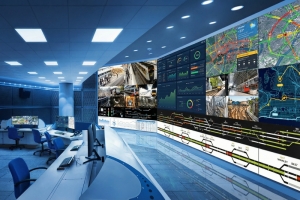
- Command centers, monitoring rooms (requires multi-window display)
- Broadcasting studios, live streaming rooms
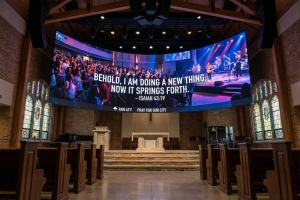
- Medium churches, auditoriums (8-12m)
Advantages:
- Best value (40% more than 1080p, 60% better image quality)
- Sharp text display
- Suitable for smartphone photography, livestreaming (with ≥3840Hz refresh rate)
4K - Premium Applications, Choose Carefully
Scenarios that genuinely require 4K (only 6% of market):
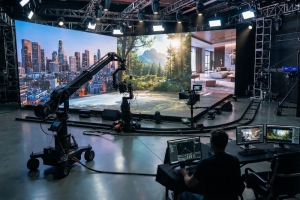
- Virtual production stages (LED Volume)
- Premium brand flagship stores (Apple, Tesla level)
- Medical imaging displays
- Ultra-close viewing (2-5m)
Part 3: Viewing Distance Decision Framework
Why Is Viewing Distance More Important Than Resolution?
Core principle: Human eye resolution limit
Human eye resolution has limits—beyond a certain distance, higher resolution becomes indistinguishable.
Industry standard formula:
Optimal viewing distance (meters) = Pixel pitch P value (mm) × 3
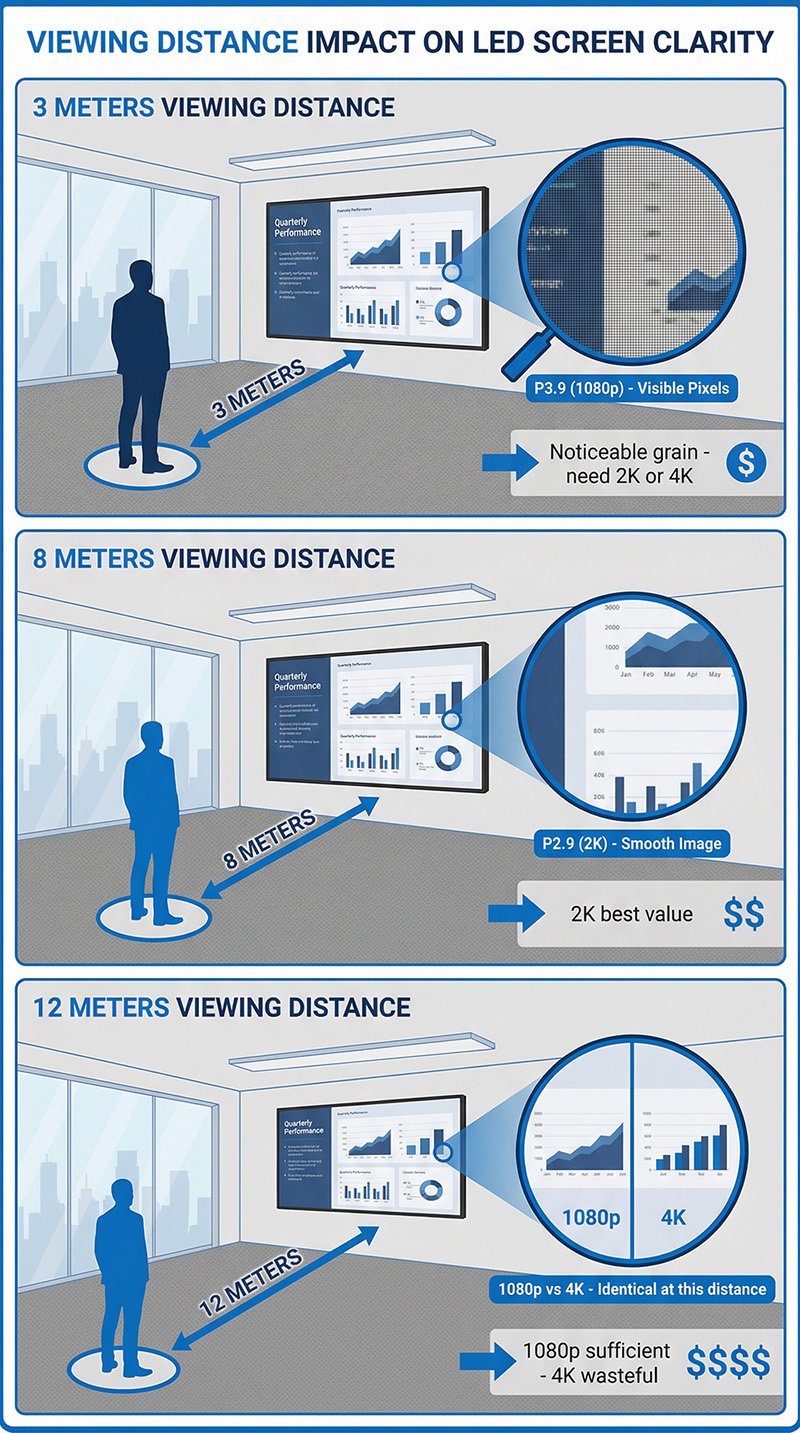
Viewing Distance Recommendation Table
| Closest Viewing | Recommended P | Recommended Res | Typical Size | Budget (10m×5.6m) |
|---|---|---|---|---|
| 2-4m | P1.2-P1.8 | 4K | 3-5m wide | $85-135K |
| 3-6m | P1.5-P2.5 | 2K-4K | 5-6m wide | $65-95K |
| 5-10m | P2.5-P3.9 | 2K | 6-10m wide | $48-75K |
| 8-15m | P3-P4.8 | 1080p | 8-12m wide | $38-58K |
| 12-25m | P3.9-P6 | 1080p | 10-15m wide | $35-65K |
| 20m+ | P6-P10 | 720p-1080p | 12m+ wide | $32-75K |
Key conclusions:
- Viewing distance >12m: 1080p completely adequate, 2K/4K wasteful
- Viewing distance <6m: Start with 2K, upgrade to 4K if conditions permit
- Viewing distance 6-12m: 2K is the optimal balance point
Part 4: Procurement Pitfall Guide (3 Core Traps)
Trap 1: "Supports 4K Input" ≠ "Screen Resolution is 4K"
Common sales pitch:
"This is a 4K LED screen, supports 4K video input."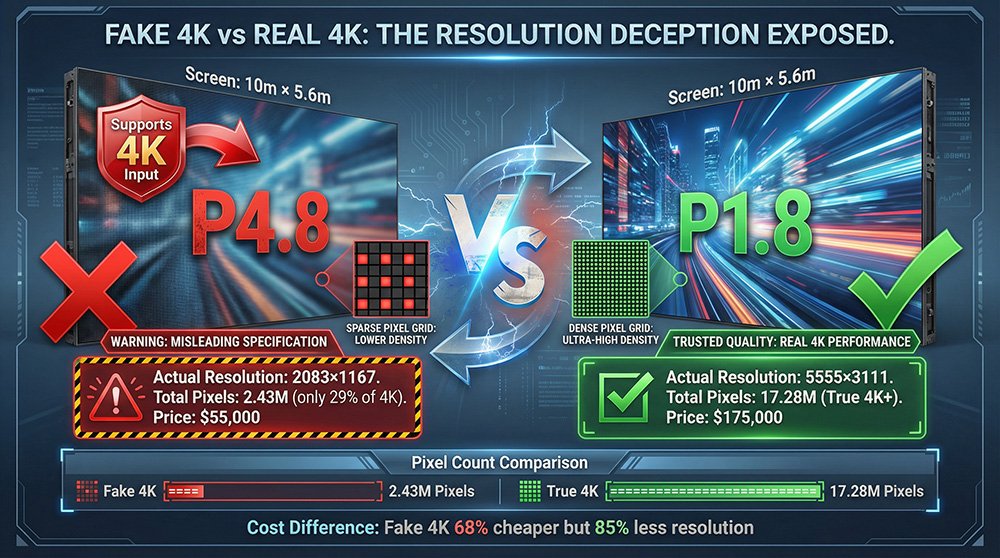
Reality:
- "Supports 4K input" only means control system can receive 4K signal
- Screen's actual resolution may be only 2K or even 1080p
- 4K signal gets downsampled
Self-protection:
✅ Require contract to state:
"LED display actual physical resolution is: horizontal xxxx pixels × vertical xxxx pixels"
❌ Don't accept vague statements: "supports 4K," "4K display effect"
Trap 2: Quoting Only Screen Price, Hiding System Costs
Case: Supplier: "4K screen only $85,000!" (screen body price only)
Actual total cost:
- Screen body: $85K
- Control system: +$18K
- Transmission cables (fiber): +$2.5K
- Steel structure: +$13K
- Installation and commissioning: +$12K
- Total cost: $130.5K (53% higher than quoted)
Self-protection:
Request "turnkey price" clearly including: screen body, control system, cables, steel structure, installation, training, warranty.
Trap 3: Advertising "Maximum Resolution" Ignoring Actual Needs
Common sales pitch:
"Our screen can reach up to 8K resolution!"
Problems:
- "Maximum" usually refers to smallest size
- Your actual size may not achieve this
- Your viewing distance doesn't need such high resolution
Self-protection:
Ask clearly: "For my size requirement (e.g., 10m×5.6m), what resolution can be achieved?"
Part 5: Acceptance Checklist (5-Step Method)
Step 1: Dimension Measurement
- Tool: 5-meter tape measure
- Acceptable tolerance: ±10mm
Step 2: Resolution Calculation
Horizontal pixels = Measured width (mm) ÷ P value (mm)
Vertical pixels = Measured height (mm) ÷ P value (mm)
Compare with contract, ±2% tolerance allowed.
Step 3: Test Pattern Playback
- Solid color test (red/green/blue/white)
- Grid test (check for distortion)
- Text test (various font sizes for clarity)
Step 4: Smartphone Camera Test
- Point smartphone at screen and take photo
- Check for black horizontal lines (scan lines)
- ✅ Qualified: No horizontal lines (refresh rate ≥3840Hz)
- ❌ Unqualified: Obvious horizontal lines (refresh rate <1920Hz)
Step 5: Actual Content Test
- Play actual PPT, videos, images to be used
- Stand at audience positions to verify effects
Summary: 3 Golden Rules
Rule 1: Viewing Distance Determines Everything
Use formula: Optimal viewing distance (m) = P value (mm) × 3
- 12m+: 1080p sufficient
- 6-12m: 2K is sweet spot
- <6m: Start with 2K, upgrade to 4K if conditions permit
Rule 3: Calculate Resolution First, Then Decide to Buy
- Always verify yourself with formula: pixels = dimension (mm) ÷ P value (mm)
- Don't trust vague claims like "supports 4K"
- Contract must state "actual pixel count"
Rule 3: Matching Needs More Important Than Chasing Specs
- Text-focused (PPT/Excel) → Minimum 2K
- Video-focused → 1080p-2K
- Photography/livestreaming needed → Refresh rate ≥3840Hz more critical than resolution
- Consider 5-year total cost of ownership (TCO), not just purchase price
Remember: LED screen resolution isn't about higher being better, but "just right" being best. At the appropriate viewing distance, selecting the appropriate configuration—that's true professionalism.