



 English


When purchasing LED displays, pixel pitch is the key factor determining image quality and cost. Choose correctly, and you get crisp visuals and maximum value for money; choose wrong, and you either waste money or end up with subpar results. Many fall into the misconception that “smaller is always better,” but the truth is there's no universally optimal pixel pitch—only the choice best suited to the application. This article will help you fully understand pixel pitch and teach you how to precisely match your resolution requirements.
I. First, Clarify: What is Pixel Pitch?
Pixel pitch refers to the distance between the centers of two adjacent pixels on an LED screen, typically measured in millimeters (mm). Common specifications like P1.0, P1.5, P2.5, P4.0 indicate pixel density—smaller numbers denote denser pixel arrangements.
The core logic is straightforward: a smaller pixel pitch means more pixels per unit area, resulting in higher resolution and finer details. Conversely, a larger pitch reduces pixel count, leading to a more noticeable graininess but lower cost.
Key reminder: Pixel pitch directly correlates with “viewing distance.” This is the core selection criterion and the most commonly overlooked factor.
II. Core Principle: Viewing Distance Determines Pixel Pitch
Different scenarios involve varying distances between viewers and screens, necessitating distinct pixel pitch requirements. Mastering the following rule avoids 80% of selection pitfalls.
1. Basic Calculation Formula (Quick Estimate)
Minimum Viewing Distance (m) ≈ Pixel Pitch (mm) × 0.3
Example: A P2.5 screen requires a minimum viewing distance of about 0.75 meters; a P4.0 screen requires about 1.2 meters.
Meaning: Beyond this distance, the human eye barely perceives pixel granularity, resulting in smoother image presentation.
2. Viewing Distance Recommendations
Close Viewing (1-3 meters): Ideal for conference rooms, small exhibition halls. Suitable for P1.0-P2.0 screens, ensuring clear text and chart details without graininess.
Mid-Range Viewing (3-10 meters): Suitable for retail stores, medium-sized auditoriums. Optimal for P2.0-P3.0 screens, balancing image quality and cost.
Long-distance viewing (10m+): Suitable for outdoor advertising screens and stadiums. P3.0-P6.0 screens are recommended, offering minimal graininess at a distance while reducing costs.
III. Scenario Segmentation: Pixel Pitch Selection for Different Applications
Tailoring selection to specific uses ensures greater precision. Below are optimal recommendations for common scenarios, catering to most commercial needs in the U.S.
1. Indoor Scenario Selection
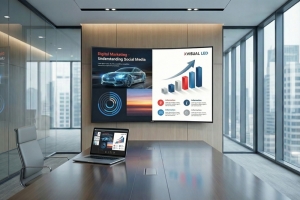
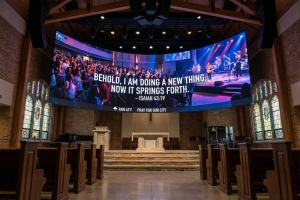
Conference Rooms/Auditoriums: Core requirement is clear text readability, especially for small fonts. Viewing distance typically 2-5 meters; prioritize P1.2-P1.5. Particularly for video conferencing, fine image quality ensures normal display of faces and documents during remote communication.
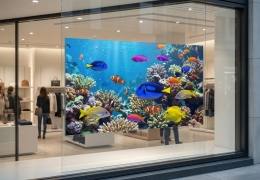
Retail Windows/Stores: Viewing distance 3-8 meters. Suitable for P2.0-P2.5. Clearly displays product details and promotional posters without excessive cost from overly fine pitch.
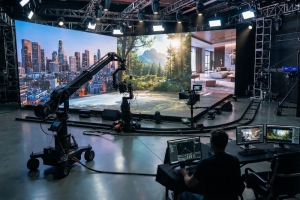
Indoor Esports/Streaming Studios: Viewing distance 1-2 meters. Requires high-resolution screens with P1.0-P1.2 pitch. High pixel density delivers smooth transitions in dynamic visuals, preventing motion blur and graininess.
2. Outdoor Application Selection
Outdoor Advertising Screens (Streets/Commercial Districts): Viewing distance 10-50 meters, suitable for P3.0-P5.0. No need to pursue ultra-fine pitch—at long distances, P4.0 resolution adequately meets advertising needs while offering more controllable costs.
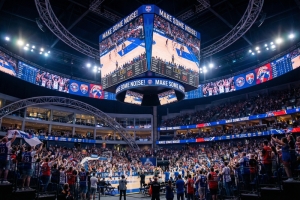
Sports Venues: Viewing distance 10-30 meters, suitable for P3.5-P6.0. A slightly larger pixel pitch maintains clear visibility of scores and replays at wide viewing angles while enhancing overall brightness to withstand outdoor sunlight.
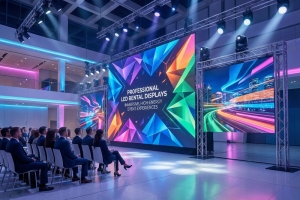
Outdoor Event Rental Screens: Viewing distance 5-15 meters, suitable for P2.5-P3.9. Offers flexibility across diverse event scenarios, accommodating both close-up displays and mid-to-long-distance viewing needs.
IV. Key Considerations: Pixel Pitch vs. Cost and Brightness
1. Cost: Smaller pixel pitches incur higher costs. A P1.0 screen may cost 2-3 times more than a P2.5 model. Blindly pursuing smaller pitches leads to unnecessary expenditure.
2. Brightness: With identical panel materials, smaller pitch requires more LEDs per unit area, resulting in higher relative brightness. However, indoor settings rarely require extreme brightness. Incorporate brightness adjustment features to prevent visual fatigue.
3. Installation: Smaller-pitch screens demand higher installation precision, particularly for seamless splicing. Installation costs may be 10%-20% higher than standard-pitch screens.
V. Exclusive Considerations for U.S. Buyers: Additional Selection Guidelines
1. Compliance & Compatibility: Select UL and FCC-certified products to ensure compatibility with U.S. control systems (e.g., Nova, Calite US Edition) and prevent signal adaptation issues.
2. After-Sales Support: Prioritize brands with local U.S. service teams due to the higher technical complexity of small-pitch screens. This ensures rapid response for post-installation issues like image calibration and repairs.
3. Long-Term Durability: For outdoor applications, prioritize screens with IP65 or higher protection ratings to withstand diverse U.S. climates and prevent rain/dust damage that shortens lifespan.
VI. Final Selection Checklist
• Core viewing distance confirmed for target scenario (minimum/maximum viewing points)
• Estimated suitable pixel pitch range using the formula
• Confirmed resolution requirements based on usage (text/video/advertising)
• Calculated costs for different pitches to avoid the “small-pitch trap”
• Verified product compliance certifications and local after-sales support
• Considered installation precision and future maintenance requirements
The core principle for selecting pixel pitch is “avoid blindly pursuing smaller pitches; focus on precise matching.” First determine the viewing distance, then combine it with application and budget to select the LED display with the optimal resolution and best cost-performance ratio. Remember: The pixel pitch best suited to your specific scenario is the ideal choice.