



 English


Choosing an LED display isn't just about picking a screen. The key is finding a product that aligns with your needs, budget, and installation space. Whether for storefront advertising, conference rooms, stadiums, or event venues, selecting the wrong product can waste time and money. This guide breaks down all the essential information you must understand before making a purchase.
I. Define Your Core Requirements
First, answer three simple questions. They will determine all your subsequent choices.
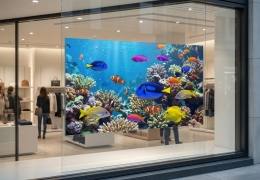
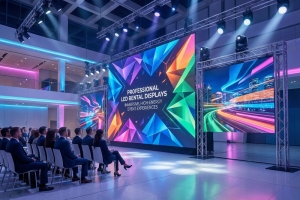
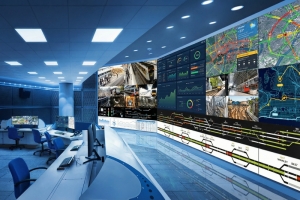
What will you use it for? Advertising? Presentations? Live sports broadcasts? Or building a video wall? Different applications demand different screen capabilities. Advertising requires vibrant, bright colors; presentations need clear text; sports events demand smooth, dynamic visuals.
Where will the screen be placed? Indoor settings (like offices) and outdoor settings (like billboards) have vastly different needs. Outdoor screens must withstand direct sunlight and weather exposure, while indoor screens should minimize glare.
Who will be viewing the screen? How far away will viewers be? Small screens for close-up meetings require finer image quality, while large outdoor billboards must remain legible from 50 feet (about 15 meters) away.
II. Core Parameters You Can't Ignore
Don't be intimidated by technical jargon. Focus on these four key parameters:
Pitch: The distance between adjacent LED pixels (measured in millimeters, e.g., P1.5, P2.5). Smaller pitch yields sharper images. For close viewing (within 10 feet/3 meters), choose P1.0-P2.0; For long-distance viewing (over 20 feet/6 meters), P2.5-P4.0 is sufficient.
Brightness: Measured in nits (nits). Outdoor screens require 5000-8000 nits to penetrate sunlight, while indoor screens need only 300-500 nits (excessive brightness causes eye strain).
Refresh Rate: Measured in Hertz (Hz). Higher refresh rates deliver smoother motion. For sports events or video playback, models with 1920Hz or higher are recommended. Screens below 600Hz may exhibit motion blur during fast-moving scenes.
Durability: For outdoor use, prioritize protection ratings (IP ratings). IP65 offers dust and water resistance, ideal for rain or snow. Indoor use typically requires only IP54 (splash-proof) protection.
III. Indoor vs. Outdoor: Choose Based on Scenario
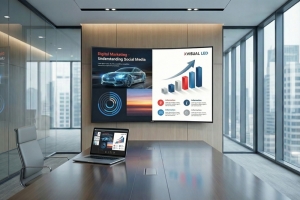
Indoor Displays: Prioritize image clarity and anti-glare properties. Opt for ultra-thin designs for easy installation; fanless, silent models are essential for meeting rooms. Avoid high-brightness models to prevent eye strain.
Outdoor Displays: Focus on weather resistance and visibility. Select models with UV protection to prevent screen fading; frames must be sturdy to withstand strong winds. Energy efficiency is also crucial—outdoor advertising screens typically operate 24/7, so low power consumption significantly reduces costs.
IV. Compliance & Certifications (Essential for US Buyers)
These certifications are non-negotiable. They ensure product safety and mitigate legal risks.
UL Certification: Verifies compliance with U.S. safety standards. Mandatory for commercial settings (offices, stores, stadiums).
FCC Certification: Ensures screens won't interfere with other electronic devices. Required for all electronics sold in the U.S.
Energy Star Certification: Helps reduce electricity costs. Prioritize models with this certification for screens operating long hours.
V. Budgeting Tips: Think Long-Term
Cheap isn't always better. Low-cost screens may consume more power and be prone to malfunctions.
Calculate Total Cost of Ownership (TCO). This includes purchase price, electricity costs, maintenance fees, and lifespan. A slightly more expensive yet energy-efficient model can save you significant money over 3-5 years.
Inquire about warranty policies. A robust warranty (3-year panel coverage, 1-year parts coverage) minimizes future headaches. Verify the seller offers local U.S. support—no one wants to deal with overseas repairs.
Final Pre-Purchase Checklist
• Confirmed usage scenarios and audience viewing distance
• Verified dot pitch, brightness, and refresh rate meet requirements
• Verified IP rating for outdoor models
• Confirmed UL/FCC certification
• Calculated total cost of ownership and reviewed warranty terms
• Confirmed seller offers U.S. local support
Follow this guide to select the perfect LED display for your needs. Say goodbye to buyer's remorse and choose a product that fully meets your requirements.
Translated with DeepL.com (free version)